



hakki83
Altın Üye
- Katılım
- 30 Eylül 2021
- Mesajlar
- 567
- Excel Vers. ve Dili
- Excel 2016 Türkçe 32 Bit
DOSYA İndirmek/Yüklemek için ÜCRETLİ ALTIN ÜYELİK Gereklidir!
Altın Üyelik Hakkında Bilgi
Private Sub Worksheet_Activate()
Dim son As Long, bul As Variant
son = Range("A" & Rows.Count).End(xlUp).Row
Set bul = Range("A2:A" & son).Find(Date, LookAt:=xlWhole)
    If Not bul Is Nothing Then
        bul = bul.Row
        Range("A" & bul).Select
    Else
        MsgBox Date & " tarihi A sütununda yok.", vbInformation, ""
    End If
End Sub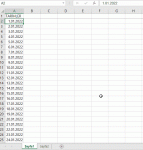
Private Sub Worksheet_Activate()

Dim c As Range

Set c = Range("A:A").Find(Date, LookIn:=xlFormulas, LookAt:=xlWhole)
If Not c Is Nothing Then
    c.Select
Else
    Range("A1").Select
End If

End Sub
Option Explicit

Sub Select_Today()
    On Error GoTo Son
    Range("A:A").Find(Date, LookIn:=xlFormulas).Activate
    Exit Sub
Son:
    On Error GoTo 0
    MsgBox "Bugün'e ait tarih bulunamadı!", vbCritical
End SubOption Explicit
Sub Select_Today()
On Error GoTo Son
Range("A" & Application.Match(CLng(Date), Range("A:A"), 0)).Select
Exit Sub
Son:
On Error GoTo 0
MsgBox "Bugün'e ait tarih bulunamadı!", vbCritical
End SubOption Explicit
Sub Macro1()
'
' Macro1 Macro
'
'
Columns("A:A").Select
Selection.Find(What:="25.10.2023", After:=ActiveCell, LookIn:=xlFormulas2 _
, LookAt:=xlPart, SearchOrder:=xlByRows, SearchDirection:=xlNext, _
MatchCase:=False, SearchFormat:=False).Activate
End SubKorhan hocam merhabaMakro kaydet ile temel kodu oluşturabilirsiniz...
C++:Option Explicit Sub Macro1() ' ' Macro1 Macro ' ' Columns("A:A").Select Selection.Find(What:="25.10.2023", After:=ActiveCell, LookIn:=xlFormulas2 _ , LookAt:=xlPart, SearchOrder:=xlByRows, SearchDirection:=xlNext, _ MatchCase:=False, SearchFormat:=False).Activate End Sub
Sonrasında bu kod olmayan tarihlerde hata vereceği için küçük müdahaleler yapmanız gerekiyor.. İşin bu kısmıda öğrenme-geliştirme bölümüdür..