



- Katılım
- 12 Ocak 2009
- Mesajlar
- 838
- Excel Vers. ve Dili
- 2003
- Altın Üyelik Bitiş Tarihi
- 07-02-2024
Merhaba arkadaşlar.
Userform üzerinde bulunan combobox1'e
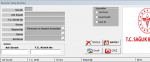
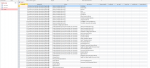
Combobox1 deki veri seçilince bu veri ile ilişkili olan birim verilerinin combobox2 de listelenmesi ve combobox2 de seçilen veriyle de ilişkili olan verinin combobox3 te listelenmesi sağlanabilirmi.?
Bu işlemi aslında excell sayfasındaki verileri ilişkili olarak comboboxlara aşağıdaki şekilde yükleyebiliyorum ancak access veritabanında bu işlem nasıl yapılır bilemiyoum.
Buradaki işlem uyarlanabilirse harika olacak.
Userform üzerinde bulunan combobox1'e
ComboBox1.Column = baglan.Execute("select distinct [baskanlik] from [veriler]").getrows kodu ile veriler tablosundaki baskanlik verisini tekrarsız olarak alıyorum.Combobox1 deki veri seçilince bu veri ile ilişkili olan birim verilerinin combobox2 de listelenmesi ve combobox2 de seçilen veriyle de ilişkili olan verinin combobox3 te listelenmesi sağlanabilirmi.?
Bu işlemi aslında excell sayfasındaki verileri ilişkili olarak comboboxlara aşağıdaki şekilde yükleyebiliyorum ancak access veritabanında bu işlem nasıl yapılır bilemiyoum.
Buradaki işlem uyarlanabilirse harika olacak.
Kod:
Private Sub UserForm_Initialize()

With Me.ListView1
  .Gridlines = True
  .FullRowSelect = True
  .View = lvwReport
  .ListItems.Clear
  .ColumnHeaders.Clear

End With
With ListView1
.View = lvwReport
.ColumnHeaders.Add , , "no ", 0
.ColumnHeaders.Add , , "Sıra No", 50, lvwColumnCenter
.ColumnHeaders.Add , , "Adı Soyadı", 100, lvwColumnLeft
.ColumnHeaders.Add , , "T.C. Kimlik", 70, lvwColumnLeft
.ColumnHeaders.Add , , "Ünvanı", 100, lvwColumnLeft
.ColumnHeaders.Add , , "Başkanlığı", 200, lvwColumnLeft
.ColumnHeaders.Add , , "Birimi", 150, lvwColumnLeft
.ColumnHeaders.Add , , "Alt Birimi", 150, lvwColumnLeft

.FullRowSelect = True
.Gridlines = True
End With

Set sh = Sheets("PERSONEL")
son = sh.Cells(65536, 2).End(xlUp).Row

For i = 3 To son
If sh.Cells(i, 1) <> "" Then
Set L = ListView1.ListItems.Add

L.Text = i
L.SubItems(1) = sh.Cells(i, 1) 'Sıra No
L.SubItems(2) = sh.Cells(i, 2) 'Adı Soyadı
L.SubItems(3) = sh.Cells(i, 3) 'Kimlik No
L.SubItems(4) = sh.Cells(i, 4) 'Ünvanı
L.SubItems(5) = sh.Cells(i, 5) 'başkanlık
L.SubItems(6) = sh.Cells(i, 6) 'Birimi
L.SubItems(7) = sh.Cells(i, 7) 'Alt Birimi

End If
Next i


ComboBox1.Clear
ComboBox2.Clear
ComboBox3.Clear
Set k = Sheets("VERİ")
For i = 2 To k.Cells(65536, "b").End(3).Row
If WorksheetFunction.CountIf(k.Range("b2:b" & i), k.Range("b" & i)) = 1 Then
ComboBox1.AddItem k.Cells(i, "b").Value
End If
Next

With ComboBox1
.Font.Italic = False
.Font.Bold = True
.Font.Size = 8
.ForeColor = &H80000012
.Enabled = True
.Value = "Başkanlık seçiniz!!"
End With
With ComboBox2
.Font.Italic = False
.Font.Bold = True
.Font.Size = 8
.ForeColor = &H80000012
.Enabled = True
'.Value = "Önce Başkanlık"
End With


TextBox1.Value = WorksheetFunction.Count(Range("A1:A65500")) + 1
TextBox5.Text = DateSerial(Year(Date), Month(Date), 1)
End Sub
Kod:
Private Sub ComboBox1_Change()
Dim STR As Long, SYF As Worksheet, LST As New Collection, HCR As Range
Set SYF = Sheets("VERİ")
If ComboBox1.ListIndex < 0 Then Exit Sub
On Error Resume Next
For STR = 2 To SYF.Range("b" & Rows.Count).End(xlUp).Row
If SYF.Cells(STR, "b") = ComboBox1.Value Then
LST.Add SYF.Cells(STR, "c"), CStr(SYF.Cells(STR, "c"))
End If
Next
ComboBox2.Clear
ComboBox3.Clear
For Each HCR In LST
ComboBox2.AddItem HCR
Next
With ComboBox2
.Font.Italic = False
.Font.Bold = True
.Font.Size = 8
.ForeColor = &H80000012
.Enabled = True
'.Value = "Birim Seçebilirsiniz."
End With
End Sub
Kod:
Private Sub ComboBox2_Change()
Dim STR As Long, SYF As Worksheet, LST As New Collection, HCR As Range
Set SYF = Sheets("VERİ")
If ComboBox1.ListIndex < 0 Then Exit Sub
On Error Resume Next
For STR = 2 To SYF.Range("b" & Rows.Count).End(xlUp).Row
If SYF.Cells(STR, "b") = ComboBox1.Value And SYF.Cells(STR, "c") = ComboBox2.Value Then
LST.Add SYF.Cells(STR, "d"), CStr(SYF.Cells(STR, "d"))
End If
Next
ComboBox3.Clear
For Each HCR In LST
ComboBox3.AddItem HCR
Next
With ComboBox3
.Font.Italic = False
.Font.Bold = True
.Font.Size = 8
.ForeColor = &H80000012
.Enabled = True
End With

End Sub