



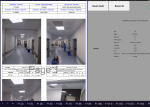
Selamlar, Elimdeki excel içinde F1(1), F1(2)........ F1(100) diye sayfalar var. Her sayfa 2 tane butonum var. Bunlar o sayfa içindeki resimleri silme ve sonra belirttiğim yerdne resimleri çağırmak için kullanıyorum buraya kadar herşey ok. Ama bunu her sayfaya girip tekrar yapmak zorunda kalıyorum. Bu 2 butonda bulunan makroları sayfa ismi belirterek tek seferde toplu işlem yaptırabilirmiyim. Yani F1(1) sayfasında resmi sil butonuna tıkladığımda makroyu " F1(1), F1(2)........ F1(100) sayfalarının hepsinde çalıştırsın, yine aynı şekilde silme butonuna tıklayıncada makroyu yine istediğim sayflarda çalıştıracak şekilde düzenleyebilirmiyiz. Aşağıda 2 buton içindeki kodları yazdım
Kod:
Sub Resim_Sil()
    Dim Resim As Object
    For Each Resim In ActiveSheet.Shapes
        If Not Intersect(Resim.TopLeftCell, Range("A1", "Q50")) Is Nothing Then
            Resim.Delete
        End If
    Next
End Sub
Kod:
Sub resim_getir()
Application.ScreenUpdating = False
On Error Resume Next
Dim Resim As Object, i As Long, yol As String, dosya As String
yol = ActiveWorkbook.Path & "\"

Set Alan = Range("C9:n74") 'silinecek resim alan?
For Each resimm In ActiveSheet.Pictures
If Not Intersect(resimm.TopLeftCell, Alan) Is Nothing Then
resimm.Delete
End If
Next
Set Alan = Nothing

If Dir(yol & "\" & Cells(25, "B").Value & ".jpg") <> "" Then 'bu alan her resim için de?i?tirilecek
dosya = "\" & Cells(25, "B").Value & ".jpg" 'bu alan her resim için de?i?tirilecek
If TypeName(ActiveSheet) <> "Worksheet" Then Exit Sub
Set P = ActiveSheet.Pictures.Insert(yol & dosya)
With Cells(8, "B") 'bu alan her resim için de?i?tirilecek RES?M BA?LANGIÇ ADRES?
t = .Top
l = .Left
w = .Offset(50, .Columns.Count).Left - .Left
h = .Offset(.Rows.Count, 50).Top - .Top
End With
With P
.Left = Range("B8:H24").Left
.Height = Range("B8:H24").Height
.Width = Range("B8:H24").Width
.Top = Range("B8:H24").Top
End With
Set P = Nothing
End If

If Dir(yol & "\" & Cells(25, "J").Value & ".jpg") <> "" Then 'bu alan her resim için de?i?tirilecek
dosya = "\" & Cells(25, "J").Value & ".jpg" 'bu alan her resim için de?i?tirilecek
If TypeName(ActiveSheet) <> "Worksheet" Then Exit Sub
Set P = ActiveSheet.Pictures.Insert(yol & dosya)
With Cells(8, "J") 'bu alan her resim için de?i?tirilecek RES?M BA?LANGIÇ ADRES?
t = .Top
l = .Left
w = .Offset(50, .Columns.Count).Left - .Left
h = .Offset(.Rows.Count, 50).Top - .Top
End With
With P
.Left = Range("J8:P24").Left
.Height = Range("J8:P24").Height
.Width = Range("J8:P24").Width
.Top = Range("J8:P24").Top
End With
Set P = Nothing
End If

If Dir(yol & "\" & Cells(47, "B").Value & ".jpg") <> "" Then 'bu alan her resim için de?i?tirilecek
dosya = "\" & Cells(47, "B").Value & ".jpg" 'bu alan her resim için de?i?tirilecek
If TypeName(ActiveSheet) <> "Worksheet" Then Exit Sub
Set P = ActiveSheet.Pictures.Insert(yol & dosya)
With Cells(30, "B") 'bu alan her resim için de?i?tirilecek RES?M BA?LANGIÇ ADRES?
t = .Top
l = .Left
w = .Offset(50, .Columns.Count).Left - .Left
h = .Offset(.Rows.Count, 50).Top - .Top
End With
With P
.Left = Range("B30:H46").Left
.Height = Range("B30:H46").Height
.Width = Range("B30:H46").Width
.Top = Range("B30:H46").Top
End With
Set P = Nothing
End If

If Dir(yol & "\" & Cells(47, "J").Value & ".jpg") <> "" Then 'bu alan her resim için de?i?tirilecek
dosya = "\" & Cells(47, "J").Value & ".jpg" 'bu alan her resim için de?i?tirilecek
If TypeName(ActiveSheet) <> "Worksheet" Then Exit Sub
Set P = ActiveSheet.Pictures.Insert(yol & dosya)
With Cells(30, "J") 'bu alan her resim için de?i?tirilecek RES?M BA?LANGIÇ ADRES?
t = .Top
l = .Left
w = .Offset(50, .Columns.Count).Left - .Left
h = .Offset(.Rows.Count, 50).Top - .Top
End With
With P
.Left = Range("J30:P46").Left
.Height = Range("J30:P46").Height
.Width = Range("J30:P46").Width
.Top = Range("J30:P46").Top
End With
Set P = Nothing
End If
Application.ScreenUpdating = True
End Sub