• DİKKAT

    DOSYA İndirmek/Yüklemek için ÜCRETLİ ALTIN ÜYELİK Gereklidir!
    Altın Üyelik Hakkında Bilgi

Soru RASTGELE GRUPLARA GÖRE SEÇME (ÇEKİLİŞ)

Katılım
21 Temmuz 2017
Mesajlar
59
Excel Vers. ve Dili
Solidworks Office 2019
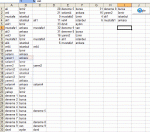
Merhaba Arkadaşlar elimde illere ve ilçelere göre bir liste var. Bunları gruplara göre rastgele isimleri seçmek istiyorum.

Amacım çekiliş yaptığımda İstanbul ilinden bir kişiyi, Ankara ilinden bir kişiyi, İzmir ilinden bir kişiyi ve Bursa ilinden bir kişiyi seçmesi gerekiyor. İller artabilir. Gruplar içerisinden rastgele seçim yapması lazım. Bu işlem ileride iller ve ilçeleri kapsayacağı için formül ile yazmak istemedim.


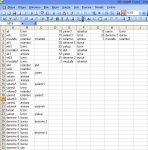
kmo6YA.png


Tahmini sonucu böyle verebilir veya yeni sayfada bulunabilir diye düşünüyorum. Formül ile oldukça zor olacağı düşündüğüm için VBA ile çözmem gerektiğini düşünüyorum.

kmEeHt.png


Sistemi geliştirebilmek adına İlk çekiliş yaptığımda çıkan kişi ikinci seferde çıkmaması güzel olur mu ?

Yardımlarınızı Rica ediyorum.
 
Merhaba. Siz kaç grup olusturacaksiniz? Bir gruptaki kişi sayısı sabit mi?
 
Ekli kodu veya Dosyayı deneyiniz.

Dosyayı Buraya Tıklayarak İndir


C#:
Sub exceldestek80()
Application.ScreenUpdating = False
Range("D1:E" & Cells(Rows.Count, "D").End(xlUp).Row).ClearContents
Set con = CreateObject("Adodb.Connection")
Set rs = CreateObject("Adodb.Recordset")
Set rsx = CreateObject("Adodb.Recordset")
con.Open "provider=microsoft.ace.oledb.12.0;data source=" & _
ThisWorkbook.FullName & ";extended properties=""Excel 12.0;imex=1;hdr=no"""
    sorgu = "select f2 from [Sayfa1$] where f2 is not null group by f2"
    rs.Open sorgu, con, 1, 1
        Do While Not rs.EOF
        say = 0
        Randomize Timer
            s = "select f1 from [Sayfa1$] where f2 = '" & rs(0).Value & "' "
            rsx.Open s, con, 1, 1
                Randomize
                deger = Int((rsx.RecordCount * Rnd))
                Do While Not rsx.EOF
                    If deger = say Then
                        sat = sat + 1
                        Cells(sat, 4).Resize(1, 2) = Array(rs(0).Value, rsx(0).Value)
                    End If
                say = say + 1
                rsx.movenext
            Loop
            rsx.Close
        rs.movenext
        Loop
    rs.Close: con.Close
Set rs = Nothing: Set con = Nothing
Application.ScreenUpdating = True
MsgBox "!.........İşlem Tamam", vbInformation + vbMsgBoxRight, "***************        "
End Sub
 
Son düzenleme:
Ekli kodu veya Dosyayı deneyiniz.

Dosyayı Buraya Tıklayarak İndir


C#:
Sub exceldestek80()
Application.ScreenUpdating = False
Range("D1:E" & Cells(Rows.Count, "D").End(xlUp).Row).ClearContents
Set con = CreateObject("Adodb.Connection")
Set rs = CreateObject("Adodb.Recordset")
Set rsx = CreateObject("Adodb.Recordset")
con.Open "provider=microsoft.ace.oledb.12.0;data source=" & _
ThisWorkbook.FullName & ";extended properties=""Excel 12.0;imex=1;hdr=no"""
    sorgu = "select f2 from [Sayfa1$] where f2 is not null group by f2"
    rs.Open sorgu, con, 1, 1
        Do While Not rs.EOF
        say = 0
        Randomize Timer
            s = "select f1 from [Sayfa1$] where f2 = '" & rs(0).Value & "' "
            rsx.Open s, con, 1, 1
                Randomize
                deger = Int((rsx.RecordCount * Rnd))
                Do While Not rsx.EOF
                    If deger = say Then
                        sat = sat + 1
                        Cells(sat, 4).Resize(1, 2) = Array(rs(0).Value, rsx(0).Value)
                    End If
                say = say + 1
                rsx.movenext
            Loop
            rsx.Close
        rs.movenext
        Loop
    rs.Close: con.Close
Set rs = Nothing: Set con = Nothing
Application.ScreenUpdating = True
MsgBox "!.........İşlem Tamam", vbInformation + vbMsgBoxRight, "***************        "
End Sub
Deneme yapar yapmaz size dönüş sağlayacağım ilginşz için çok teşekkür ederim
 
Ekli kodu veya Dosyayı deneyiniz.

Dosyayı Buraya Tıklayarak İndir


C#:
Sub exceldestek80()
Application.ScreenUpdating = False
Range("D1:E" & Cells(Rows.Count, "D").End(xlUp).Row).ClearContents
Set con = CreateObject("Adodb.Connection")
Set rs = CreateObject("Adodb.Recordset")
Set rsx = CreateObject("Adodb.Recordset")
con.Open "provider=microsoft.ace.oledb.12.0;data source=" & _
ThisWorkbook.FullName & ";extended properties=""Excel 12.0;imex=1;hdr=no"""
    sorgu = "select f2 from [Sayfa1$] where f2 is not null group by f2"
    rs.Open sorgu, con, 1, 1
        Do While Not rs.EOF
        say = 0
        Randomize Timer
            s = "select f1 from [Sayfa1$] where f2 = '" & rs(0).Value & "' "
            rsx.Open s, con, 1, 1
                Randomize
                deger = Int((rsx.RecordCount * Rnd))
                Do While Not rsx.EOF
                    If deger = say Then
                        sat = sat + 1
                        Cells(sat, 4).Resize(1, 2) = Array(rs(0).Value, rsx(0).Value)
                    End If
                say = say + 1
                rsx.movenext
            Loop
            rsx.Close
        rs.movenext
        Loop
    rs.Close: con.Close
Set rs = Nothing: Set con = Nothing
Application.ScreenUpdating = True
MsgBox "!.........İşlem Tamam", vbInformation + vbMsgBoxRight, "***************        "
End Sub


İlginiz için çok teşekkür ederim sabahın erken saatlerinde destek olarak bu kodu yazmışsınız çok teşekkürler (y)(y)(y)

Bu yazmış olduğunuz makro fazlası ile ihtiyaçlarımı karşılıyor. Soracağım soru ise sadece sistemi geliştirmek adına yapılabilirliği için soruyorum.

Peki bu sistemde daha önce seçtiği kişileri seçtiğinde sistem uyarı verebilir mi ?

Örneğin çekiliş yaptık selami1 kişisi kazandı fakat bir sonraki seçiminde selami1 yeniden kazanmamasını bunun yerine selami2 kazanmasını. Eğer istanbul içerisinde aday kalmadı ise o kişi ikinci kez kazanması halinde hücre uyarı vermesini sağlayabilir miyiz ?
 
Son düzenleme:
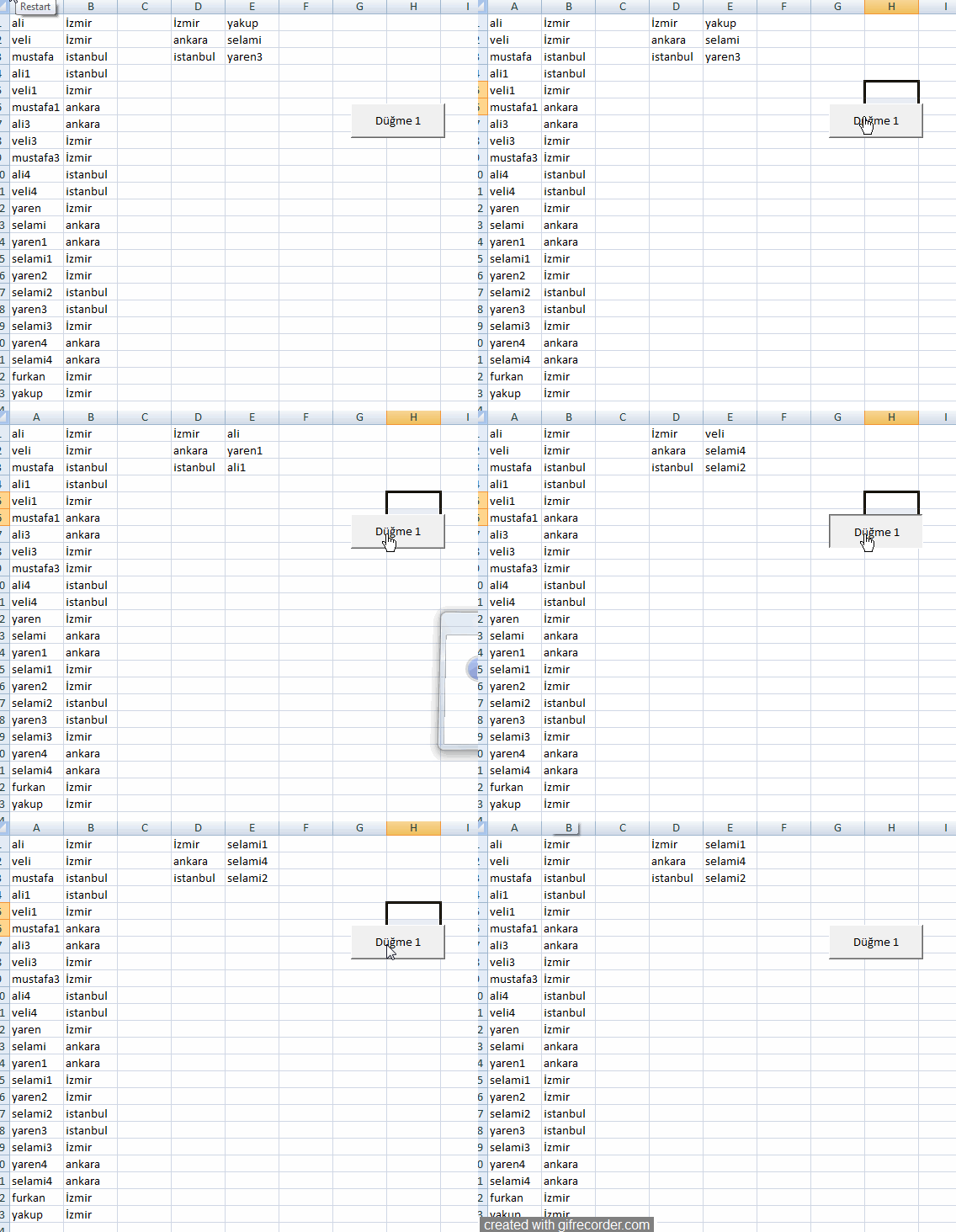
Alternatif kod
Bu kod
C Sutünuna daha önceden seçilenleri yazıyor
D.E.F. sutünuna sırası ile alt alta seçimleri ekliyor
G,H,I sutünuna en son seçtiklerini ekliyor

işlemler bittiği zaman yeniden seçime baştan başlıyor.
kod aşağıdaki mesajda güncellendigif7.gif
 
Son düzenleme:
Kodu güncelledim makro deneme1 çalıştırın

Kod:
Sub deneme1()
Application.ScreenUpdating = False
deneme2

sat1 = 0
sut = 1
son4 = Cells(Rows.Count, sut + 6).End(3).Row
sayi = son4 '3 'aktarılacak değişken sayısı

mak = Cells(Rows.Count, sut).End(3).Row

ReDim veri(sayi)
ReDim sayilar(sayi)
Dim Satir As Integer
mak2 = WorksheetFunction.CountA(Range(Cells(1, sut + 2), Cells(mak, sut + 2)))
If mak = mak2 Then
Range(Cells(1, sut + 2), Cells(Rows.Count, sut + 5)).ClearContents
End If

ReDim deg3(son4), deg4(son4)

For t = 1 To son4
deg3(t) = Cells(t, sut + 6)
Next t

Range(Cells(1, sut + 6), Cells(Rows.Count, sut + 8)).ClearContents

For j = 1 To sayi
atla:
Randomize
Satir = Int((Rnd * mak) + 1)
For m = 1 To sayi
If Satir = sayilar(m) Then
GoTo atla
End If
Next

If Cells(Satir, sut + 2) <> "" Then
GoTo atla
End If

say6 = 0
For k = 1 To son4
If Val(deg4(k)) = 0 Then
For r = 1 To mak
If Cells(r, sut + 2) = "" Then
If deg3(k) = Cells(r, sut + 1) Then
say6 = 1
End If
End If
Next r

End If
Next k

If say6 = 0 Then Exit Sub


say5 = 0
For k = 1 To son4
If deg3(k) = Cells(Satir, sut + 1) Then
If Val(deg4(k)) = 0 Then
deg4(k) = 1
say5 = 1
End If
End If
Next k

If say5 = 0 Then GoTo atla
sayilar(j) = Satir
Cells(Satir, sut + 2) = Cells(Satir, sut)
sat = WorksheetFunction.CountA(Range(Cells(1, sut + 3), Cells(mak, sut + 3))) + 1
Cells(sat, sut + 3) = Format(Satir, "000")
Cells(sat, sut + 4) = Cells(Satir, sut)
Cells(sat, sut + 5) = Cells(Satir, sut + 1)
sat1 = sat1 + 1
Cells(sat1, sut + 6) = Format(Satir, "000")
Cells(sat1, sut + 7) = Cells(Satir, sut)
Cells(sat1, sut + 8) = Cells(Satir, sut + 1)
mak2 = WorksheetFunction.CountA(Range(Cells(1, sut + 2), Cells(mak, sut + 2)))

If mak = mak2 Then
MsgBox "son"
Exit For
Exit Sub
End If
Next

Application.ScreenUpdating = True
MsgBox "işlem tamam"

End Sub


Sub deneme2()
sut = 1

Columns(sut + 6).ClearContents
son = Cells(Rows.Count, sut + 1).End(3).Row
ReDim ara1(son): ReDim ara2(son)
For t = 1 To son
ara1(t) = Cells(t, sut + 1)
ara2(t) = 1
Next
For i = 1 To son
son1 = WorksheetFunction.CountA(Worksheets(ActiveSheet.Name).Range(Cells(1, sut + 6), Cells(100, sut + 6))) + 1
For j = 1 To son
bulunan = Cells(j, sut + 1)
If ara2(j) = 1 Then
If ara1(i) = bulunan Then
ara2(j) = 0
Cells(son1, sut + 6) = Cells(j, sut + 1)
ara2(j) = 0
End If
End If
Next j
Next i

End Sub

Yeni Bit Eşlem Resmi.jpg
 
Son düzenleme:
Kodu güncelledim makro deneme1 çalıştırın

Kod:
Sub deneme1()
Application.ScreenUpdating = False
deneme2

sat1 = 0
sut = 1
sayi = 3 'aktarılacak değişken sayısı

mak = Cells(Rows.Count, sut).End(3).Row

ReDim veri(sayi)
ReDim sayilar(sayi)
Dim Satir As Integer
mak2 = WorksheetFunction.CountA(Range(Cells(1, sut + 2), Cells(mak, sut + 2)))
If mak = mak2 Then
Range(Cells(1, sut + 2), Cells(Rows.Count, sut + 5)).ClearContents
End If

son4 = Cells(Rows.Count, sut + 6).End(3).Row
ReDim deg3(son4), deg4(son4)

For t = 1 To son4
deg3(t) = Cells(t, sut + 6)
Next t

Range(Cells(1, sut + 6), Cells(Rows.Count, sut + 8)).ClearContents

For j = 1 To sayi
atla:
Randomize
Satir = Int((Rnd * mak) + 1)
For m = 1 To sayi
If Satir = sayilar(m) Then
GoTo atla
End If
Next

If Cells(Satir, sut + 2) <> "" Then
GoTo atla
End If

say6 = 0
For k = 1 To son4
If Val(deg4(k)) = 0 Then
For r = 1 To mak
If Cells(r, sut + 2) = "" Then
If deg3(k) = Cells(r, sut + 1) Then
say6 = 1
End If
End If
Next r

End If
Next k

If say6 = 0 Then Exit Sub


say5 = 0
For k = 1 To son4
If deg3(k) = Cells(Satir, sut + 1) Then
If Val(deg4(k)) = 0 Then
deg4(k) = 1
say5 = 1
End If
End If
Next k

If say5 = 0 Then GoTo atla
sayilar(j) = Satir
Cells(Satir, sut + 2) = Cells(Satir, sut)
sat = WorksheetFunction.CountA(Range(Cells(1, sut + 3), Cells(mak, sut + 3))) + 1
Cells(sat, sut + 3) = Format(Satir, "000")
Cells(sat, sut + 4) = Cells(Satir, sut)
Cells(sat, sut + 5) = Cells(Satir, sut + 1)
sat1 = sat1 + 1
Cells(sat1, sut + 6) = Format(Satir, "000")
Cells(sat1, sut + 7) = Cells(Satir, sut)
Cells(sat1, sut + 8) = Cells(Satir, sut + 1)
mak2 = WorksheetFunction.CountA(Range(Cells(1, sut + 2), Cells(mak, sut + 2)))

If mak = mak2 Then
MsgBox "son"
Exit For
Exit Sub
End If
Next

Application.ScreenUpdating = True
MsgBox "işlem tamam"

End Sub


Sub deneme2()
sut = 1

Columns(sut + 6).ClearContents
son = Cells(Rows.Count, sut + 1).End(3).Row
ReDim ara1(son): ReDim ara2(son)
For t = 1 To son
ara1(t) = Cells(t, sut + 1)
ara2(t) = 1
Next
For i = 1 To son
son1 = WorksheetFunction.CountA(Worksheets(ActiveSheet.Name).Range(Cells(1, sut + 6), Cells(100, sut + 6))) + 1
For j = 1 To son
bulunan = Cells(j, sut + 1)
If ara2(j) = 1 Then
If ara1(i) = bulunan Then
ara2(j) = 0
Cells(son1, sut + 6) = Cells(j, sut + 1)
ara2(j) = 0
End If
End If
Next j
Next i

End Sub

Ekli dosyayı görüntüle 207243
kmjz4N.png


Tam verimli sistemin bunun olduğunu düşünüyorum emeğinize sağlık. Fakat kodları çalıştırdığım zaman 5 il olmasına rağmen sadece 3 şehir arasından seçim yapıyor.
 
kodu güncelledim.

Kod:
Sub deneme1()
Application.ScreenUpdating = False

Dim son4 As Integer

son4 = 0

Dim deg3() As String
ReDim deg3(son4)
ReDim deg4(son4)

sat1 = 0
sut = 1

For r = 1 To Cells(Rows.Count, sut + 1).End(3).Row
aranan1 = Cells(r, sut + 1).Value
If Cells(r, sut + 1).Value <> "" Then
If WorksheetFunction.CountIf(Range(Cells(1, sut + 1), Cells(r, sut + 1)), aranan1) = 1 Then
son4 = son4 + 1
ReDim Preserve deg3(son4)
ReDim Preserve deg4(son4)
deg3(son4) = Cells(r, sut + 1).Value

End If
End If
Next r
If son4 = 0 Then MsgBox "veri yok": Exit Sub
sayi = son4  'aktarılacak değişken sayısı

mak = Cells(Rows.Count, sut).End(3).Row

ReDim veri(sayi)
ReDim sayilar(sayi)
Dim Satir As Integer
mak2 = WorksheetFunction.CountA(Range(Cells(1, sut + 2), Cells(mak, sut + 2)))
If mak = mak2 Then
Range(Cells(1, sut + 2), Cells(Rows.Count, sut + 5)).ClearContents
End If


Range(Cells(1, sut + 6), Cells(Rows.Count, sut + 8)).ClearContents

For j = 1 To sayi
atla:
Randomize
Satir = Int((Rnd * mak) + 1)
For m = 1 To sayi
If Satir = sayilar(m) Then
GoTo atla
End If
Next

If Cells(Satir, sut + 2) <> "" Then
GoTo atla
End If

say6 = 0
For k = 1 To son4
If Val(deg4(k)) = 0 Then
For r = 1 To mak
If Cells(r, sut + 2) = "" Then
If deg3(k) = Cells(r, sut + 1) Then
say6 = 1
End If
End If
Next r

End If
Next k

If say6 = 0 Then Application.ScreenUpdating = True: MsgBox "işlem tamam": Exit Sub


say5 = 0
For k = 1 To son4
If deg3(k) = Cells(Satir, sut + 1) Then
If Val(deg4(k)) = 0 Then
deg4(k) = 1
say5 = 1
End If
End If
Next k

If say5 = 0 Then GoTo atla
sayilar(j) = Satir
Cells(Satir, sut + 2) = Cells(Satir, sut)
sat = WorksheetFunction.CountA(Range(Cells(1, sut + 3), Cells(mak, sut + 3))) + 1
Cells(sat, sut + 3) = Format(Satir, "000")
Cells(sat, sut + 4) = Cells(Satir, sut)
Cells(sat, sut + 5) = Cells(Satir, sut + 1)
sat1 = sat1 + 1
Cells(sat1, sut + 6) = Format(Satir, "000")
Cells(sat1, sut + 7) = Cells(Satir, sut)
Cells(sat1, sut + 8) = Cells(Satir, sut + 1)
mak2 = WorksheetFunction.CountA(Range(Cells(1, sut + 2), Cells(mak, sut + 2)))

If mak = mak2 Then
Application.ScreenUpdating = True
MsgBox "son işlem tamam"
GoTo atla3
End If
Next

Application.ScreenUpdating = True
MsgBox "işlem tamam"
atla3:

End Sub
video.gif
 
Son düzenleme:
kodu güncelledim.

Kod:
Sub deneme1()
Application.ScreenUpdating = False

Dim son4 As Integer

son4 = 0

Dim deg3() As String
ReDim deg3(son4)
ReDim deg4(son4)

sat1 = 0
sut = 1

For r = 1 To Cells(Rows.Count, sut + 1).End(3).Row
aranan1 = Cells(r, sut + 1).Value
If Cells(r, sut + 1).Value <> "" Then
If WorksheetFunction.CountIf(Range(Cells(1, sut + 1), Cells(r, sut + 1)), aranan1) = 1 Then
son4 = son4 + 1
ReDim Preserve deg3(son4)
ReDim Preserve deg4(son4)
deg3(son4) = Cells(r, sut + 1).Value

End If
End If
Next r
If son4 = 0 Then MsgBox "veri yok": Exit Sub
sayi = son4  'aktarılacak değişken sayısı

mak = Cells(Rows.Count, sut).End(3).Row

ReDim veri(sayi)
ReDim sayilar(sayi)
Dim Satir As Integer
mak2 = WorksheetFunction.CountA(Range(Cells(1, sut + 2), Cells(mak, sut + 2)))
If mak = mak2 Then
Range(Cells(1, sut + 2), Cells(Rows.Count, sut + 5)).ClearContents
End If


Range(Cells(1, sut + 6), Cells(Rows.Count, sut + 8)).ClearContents

For j = 1 To sayi
atla:
Randomize
Satir = Int((Rnd * mak) + 1)
For m = 1 To sayi
If Satir = sayilar(m) Then
GoTo atla
End If
Next

If Cells(Satir, sut + 2) <> "" Then
GoTo atla
End If

say6 = 0
For k = 1 To son4
If Val(deg4(k)) = 0 Then
For r = 1 To mak
If Cells(r, sut + 2) = "" Then
If deg3(k) = Cells(r, sut + 1) Then
say6 = 1
End If
End If
Next r

End If
Next k

If say6 = 0 Then Application.ScreenUpdating = True: MsgBox "işlem tamam": Exit Sub


say5 = 0
For k = 1 To son4
If deg3(k) = Cells(Satir, sut + 1) Then
If Val(deg4(k)) = 0 Then
deg4(k) = 1
say5 = 1
End If
End If
Next k

If say5 = 0 Then GoTo atla
sayilar(j) = Satir
Cells(Satir, sut + 2) = Cells(Satir, sut)
sat = WorksheetFunction.CountA(Range(Cells(1, sut + 3), Cells(mak, sut + 3))) + 1
Cells(sat, sut + 3) = Format(Satir, "000")
Cells(sat, sut + 4) = Cells(Satir, sut)
Cells(sat, sut + 5) = Cells(Satir, sut + 1)
sat1 = sat1 + 1
Cells(sat1, sut + 6) = Format(Satir, "000")
Cells(sat1, sut + 7) = Cells(Satir, sut)
Cells(sat1, sut + 8) = Cells(Satir, sut + 1)
mak2 = WorksheetFunction.CountA(Range(Cells(1, sut + 2), Cells(mak, sut + 2)))

If mak = mak2 Then
Application.ScreenUpdating = True
MsgBox "son işlem tamam"
GoTo atla3
End If
Next

Application.ScreenUpdating = True
MsgBox "işlem tamam"
atla3:

End Sub
Ekli dosyayı görüntüle 207258
Sistemi denedim verimli bşr şekilde çalışıyor teşekkür ederim ????
 
Son düzenleme:
Geri
Üst