• DİKKAT

    DOSYA İndirmek/Yüklemek için ÜCRETLİ ALTIN ÜYELİK Gereklidir!
    Altın Üyelik Hakkında Bilgi

Sayfaya Sınırlı Sayıda Yazdırma

ahmed_ummu

Altın Üye
Katılım
28 Mart 2011
Mesajlar
777
Excel Vers. ve Dili
Excel 2010 Professional Plus 64 Bit
Merhaba arkadaşlar.

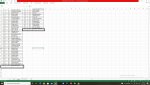
Aşağıdaki kod ile "veri" sayfasından "liste" sayfasına veriler liste halinde yazdırılıyor. Örnek resimdeki gibi İlk sütuna 45 kişi olduğunda 2. sütuna yazdırmak istiyorum. Yardımcı olabilir misiniz.

Set sh1 = Sheets("veri")
Set sh2 = Sheets("liste")
'sh2.Range("A5:F65000").ClearContents

SonSatirsil = sh2.Cells(Rows.Count, "b").End(3).Row
For ssil = SonSatirsil To 5 Step -1
sh2.Cells(ssil, SonSatirsil).EntireRow.Delete
Next ssil

s = 5
For i = 2 To sh1.Cells(Rows.Count, 2).End(xlUp).Row
sh2.Range("b" & s).Value = sh1.Cells(i, 2).Value
sh2.Range("c" & s).Value = sh1.Cells(i, 3).Value
s = s + 1
Next i
sh2.Rows("5:" & sh1.Cells(Rows.Count, 2).End(xlUp).Row).Font.Size = 12

'sıra numarası veriyor
For i = 5 To sh2.Cells(Rows.Count, "b").End(xlUp).Row
sh2.Cells(i, "a").Value = i - 4
sh2.Cells(i, "a").Font.Size = 12
sh2.Cells(i, "a").HorizontalAlignment = xlCenter
Next i
 

Ekli dosyalar

  • örnek.jpg
    örnek.jpg
    480 KB · Görüntüleme: 6
Merhaba.

Aşağıdaki kodları deneyiniz.
Kod:
Sub Test()
    Dim sh1 As Worksheet, sh2 As Worksheet
    Dim Bak As Long
    Dim Kolon As Long, Satir As Long
    
    Set sh1 = Sheets("veri")
    Set sh2 = Sheets("liste")
    
    Kolon = 1
    Satir = 5
    Application.ScreenUpdating = False
    If sh2.Cells(Rows.Count, 2).End(xlUp).Row > 4 Then sh2.Range("A5:" & Cells(Rows.Count, Columns.Count).Address).Clear
    sh2.Range("A4") = "SIRA NO"
    sh2.Range("B4") = "KAYIT NO"
    sh2.Range("C4") = "ADI VE SOYADI"
    For Bak = 2 To sh1.Cells(Rows.Count, 2).End(xlUp).Row
        sh2.Cells(Satir, Kolon).HorizontalAlignment = xlCenter
        sh2.Cells(Satir, Kolon).Value = Bak - 1
        sh2.Cells(Satir, Kolon + 1) = sh1.Cells(Bak, 2)
        sh2.Cells(Satir, Kolon + 2).Value = sh1.Cells(Bak, 3).Value
        Satir = Satir + 1
        If Satir = 50 Then
            Kenarlik sh2.Range(Cells(5, Kolon).Address & ":" & Cells(Satir, Kolon + 2).Address)
            Satir = 5
            Kolon = Kolon + 3
            sh2.Cells(4, Kolon) = "SIRA NO"
            sh2.Cells(4, Kolon + 1) = "KAYIT NO"
            sh2.Cells(4, Kolon + 2) = "ADI VE SOYADI"
        End If
        
    Next
    sh2.Rows("5:" & sh1.Cells(Rows.Count, 2).End(xlUp).Row).Font.Size = 12
    Kenarlik sh2.Range(Cells(5, Kolon).Address & ":" & Cells(Satir, Kolon + 2).Address)
    Application.ScreenUpdating = True
    MsgBox "Aktarma tamamlandı."
End Sub

Sub Kenarlik(Alan As Range)
        
    Alan.Borders(xlDiagonalDown).LineStyle = xlNone
    Alan.Borders(xlDiagonalUp).LineStyle = xlNone
    With Alan.Borders(xlEdgeLeft)
        .LineStyle = xlContinuous
        .ColorIndex = 0
        .TintAndShade = 0
        .Weight = xlThin
    End With
    With Alan.Borders(xlEdgeTop)
        .LineStyle = xlContinuous
        .ColorIndex = 0
        .TintAndShade = 0
        .Weight = xlThin
    End With
    With Alan.Borders(xlEdgeBottom)
        .LineStyle = xlContinuous
        .ColorIndex = 0
        .TintAndShade = 0
        .Weight = xlThin
    End With
    With Alan.Borders(xlEdgeRight)
        .LineStyle = xlContinuous
        .ColorIndex = 0
        .TintAndShade = 0
        .Weight = xlThin
    End With
    With Alan.Borders(xlInsideVertical)
        .LineStyle = xlContinuous
        .ColorIndex = 0
        .TintAndShade = 0
        .Weight = xlThin
    End With
    With Alan.Borders(xlInsideHorizontal)
        .LineStyle = xlContinuous
        .ColorIndex = 0
        .TintAndShade = 0
        .Weight = xlThin
    End With
End Sub
 
Merhaba.

Aşağıdaki kodları deneyiniz.
Kod:
Sub Test()
    Dim sh1 As Worksheet, sh2 As Worksheet
    Dim Bak As Long
    Dim Kolon As Long, Satir As Long
   
    Set sh1 = Sheets("veri")
    Set sh2 = Sheets("liste")
   
    Kolon = 1
    Satir = 5
    Application.ScreenUpdating = False
    If sh2.Cells(Rows.Count, 2).End(xlUp).Row > 4 Then sh2.Range("A5:" & Cells(Rows.Count, Columns.Count).Address).Clear
    sh2.Range("A4") = "SIRA NO"
    sh2.Range("B4") = "KAYIT NO"
    sh2.Range("C4") = "ADI VE SOYADI"
    For Bak = 2 To sh1.Cells(Rows.Count, 2).End(xlUp).Row
        sh2.Cells(Satir, Kolon).HorizontalAlignment = xlCenter
        sh2.Cells(Satir, Kolon).Value = Bak - 1
        sh2.Cells(Satir, Kolon + 1) = sh1.Cells(Bak, 2)
        sh2.Cells(Satir, Kolon + 2).Value = sh1.Cells(Bak, 3).Value
        Satir = Satir + 1
        If Satir = 50 Then
            Kenarlik sh2.Range(Cells(5, Kolon).Address & ":" & Cells(Satir, Kolon + 2).Address)
            Satir = 5
            Kolon = Kolon + 3
            sh2.Cells(4, Kolon) = "SIRA NO"
            sh2.Cells(4, Kolon + 1) = "KAYIT NO"
            sh2.Cells(4, Kolon + 2) = "ADI VE SOYADI"
        End If
       
    Next
    sh2.Rows("5:" & sh1.Cells(Rows.Count, 2).End(xlUp).Row).Font.Size = 12
    Kenarlik sh2.Range(Cells(5, Kolon).Address & ":" & Cells(Satir, Kolon + 2).Address)
    Application.ScreenUpdating = True
    MsgBox "Aktarma tamamlandı."
End Sub

Sub Kenarlik(Alan As Range)
       
    Alan.Borders(xlDiagonalDown).LineStyle = xlNone
    Alan.Borders(xlDiagonalUp).LineStyle = xlNone
    With Alan.Borders(xlEdgeLeft)
        .LineStyle = xlContinuous
        .ColorIndex = 0
        .TintAndShade = 0
        .Weight = xlThin
    End With
    With Alan.Borders(xlEdgeTop)
        .LineStyle = xlContinuous
        .ColorIndex = 0
        .TintAndShade = 0
        .Weight = xlThin
    End With
    With Alan.Borders(xlEdgeBottom)
        .LineStyle = xlContinuous
        .ColorIndex = 0
        .TintAndShade = 0
        .Weight = xlThin
    End With
    With Alan.Borders(xlEdgeRight)
        .LineStyle = xlContinuous
        .ColorIndex = 0
        .TintAndShade = 0
        .Weight = xlThin
    End With
    With Alan.Borders(xlInsideVertical)
        .LineStyle = xlContinuous
        .ColorIndex = 0
        .TintAndShade = 0
        .Weight = xlThin
    End With
    With Alan.Borders(xlInsideHorizontal)
        .LineStyle = xlContinuous
        .ColorIndex = 0
        .TintAndShade = 0
        .Weight = xlThin
    End With
End Sub

Çok teşekkürler Muzaffer Ali bey. Elinize sağlık.
 
Merhaba.

Aşağıdaki kodları deneyiniz.
Kod:
Sub Test()
    Dim sh1 As Worksheet, sh2 As Worksheet
    Dim Bak As Long
    Dim Kolon As Long, Satir As Long
   
    Set sh1 = Sheets("veri")
    Set sh2 = Sheets("liste")
   
    Kolon = 1
    Satir = 5
    Application.ScreenUpdating = False
    If sh2.Cells(Rows.Count, 2).End(xlUp).Row > 4 Then sh2.Range("A5:" & Cells(Rows.Count, Columns.Count).Address).Clear
    sh2.Range("A4") = "SIRA NO"
    sh2.Range("B4") = "KAYIT NO"
    sh2.Range("C4") = "ADI VE SOYADI"
    For Bak = 2 To sh1.Cells(Rows.Count, 2).End(xlUp).Row
        sh2.Cells(Satir, Kolon).HorizontalAlignment = xlCenter
        sh2.Cells(Satir, Kolon).Value = Bak - 1
        sh2.Cells(Satir, Kolon + 1) = sh1.Cells(Bak, 2)
        sh2.Cells(Satir, Kolon + 2).Value = sh1.Cells(Bak, 3).Value
        Satir = Satir + 1
        If Satir = 50 Then
            Kenarlik sh2.Range(Cells(5, Kolon).Address & ":" & Cells(Satir, Kolon + 2).Address)
            Satir = 5
            Kolon = Kolon + 3
            sh2.Cells(4, Kolon) = "SIRA NO"
            sh2.Cells(4, Kolon + 1) = "KAYIT NO"
            sh2.Cells(4, Kolon + 2) = "ADI VE SOYADI"
        End If
       
    Next
    sh2.Rows("5:" & sh1.Cells(Rows.Count, 2).End(xlUp).Row).Font.Size = 12
    Kenarlik sh2.Range(Cells(5, Kolon).Address & ":" & Cells(Satir, Kolon + 2).Address)
    Application.ScreenUpdating = True
    MsgBox "Aktarma tamamlandı."
End Sub

Sub Kenarlik(Alan As Range)
       
    Alan.Borders(xlDiagonalDown).LineStyle = xlNone
    Alan.Borders(xlDiagonalUp).LineStyle = xlNone
    With Alan.Borders(xlEdgeLeft)
        .LineStyle = xlContinuous
        .ColorIndex = 0
        .TintAndShade = 0
        .Weight = xlThin
    End With
    With Alan.Borders(xlEdgeTop)
        .LineStyle = xlContinuous
        .ColorIndex = 0
        .TintAndShade = 0
        .Weight = xlThin
    End With
    With Alan.Borders(xlEdgeBottom)
        .LineStyle = xlContinuous
        .ColorIndex = 0
        .TintAndShade = 0
        .Weight = xlThin
    End With
    With Alan.Borders(xlEdgeRight)
        .LineStyle = xlContinuous
        .ColorIndex = 0
        .TintAndShade = 0
        .Weight = xlThin
    End With
    With Alan.Borders(xlInsideVertical)
        .LineStyle = xlContinuous
        .ColorIndex = 0
        .TintAndShade = 0
        .Weight = xlThin
    End With
    With Alan.Borders(xlInsideHorizontal)
        .LineStyle = xlContinuous
        .ColorIndex = 0
        .TintAndShade = 0
        .Weight = xlThin
    End With
End Sub

Muzaffer Ali bey yardımınız için tekrar teşekkür ederim. Bu kadar uzun kod olacağını tahmin etmemiştim.

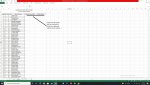
Pek önemli değil ama örnek resimdeki gibi her iki sütunun da en son dolu satırın altına bir boş satır kenarlığı çiziyor. Gönderdiğiniz kodları biraz kurcaladım ama o son satırlardaki kenarlıkları iptal kaldıramadım. Bi bakabilir misiniz.
 

Ekli dosyalar

  • ÖRNEK11.jpg
    ÖRNEK11.jpg
    469.6 KB · Görüntüleme: 4
Kod:
Kenarlik sh2.Range(Cells(5, Kolon).Address & ":" & Cells(Satir, Kolon + 2).Address)
satırından iki tane var, ikisini de aşağıdaki ile değiştirin.
Kod:
Kenarlik sh2.Range(Cells(5, Kolon).Address & ":" & Cells(Satir-1, Kolon + 2).Address)
 
Kod:
Kenarlik sh2.Range(Cells(5, Kolon).Address & ":" & Cells(Satir, Kolon + 2).Address)
satırından iki tane var, ikisini de aşağıdaki ile değiştirin.
Kod:
Kenarlik sh2.Range(Cells(5, Kolon).Address & ":" & Cells(Satir-1, Kolon + 2).Address)

Muzaffer Ali bey çok teşekkürler düzeldi.
 
Geri
Üst